
How to Recreate Golden Hour Lighting Indoors with Photography Backdrops (2026)
Posted on Jun. 16, 2026
There is a moment, early in the afternoon, when the sun crosses a specific angle and the world turns gold. The light becomes thick, directional, charged with warmth. Colors deepen. Skin takes on luminosity. It is the hour that every photographer chases, and it is also the hour that almost never cooperates with a session schedule. The bride gets ready indoors. The editorial shoot is booked for Tuesday when Tuesday's light is gray. The client books the studio time that falls during midday glare.
This is where the studio reimagines itself. Hand-painted canvas backdrops, warm gels, precise light placement, and knowledge of color temperature become the tools for bringing golden hour indoors, reliably and repeatably. It is not simulation. It is translation. The physics of warm light remains constant whether the sun creates it or you do, and a hand-painted canvas backdrop responds to warm studio light with the same dimensional depth and absorptive quality that makes golden hour photographs luminous on location.
We teach photographers how to build that interior golden hour using the three technical foundations that matter: understanding the color temperature that defines golden hour, between 2,500 and 3,500 Kelvin; knowing why hand-painted canvas backdrops absorb and diffuse that warmth differently than synthetic backdrop materials; and executing the lighting geometry that places that warm light at the exact height and angle where it has the most visual impact. The result is a studio aesthetic indistinguishable from the real golden hour, but available every hour of every day.
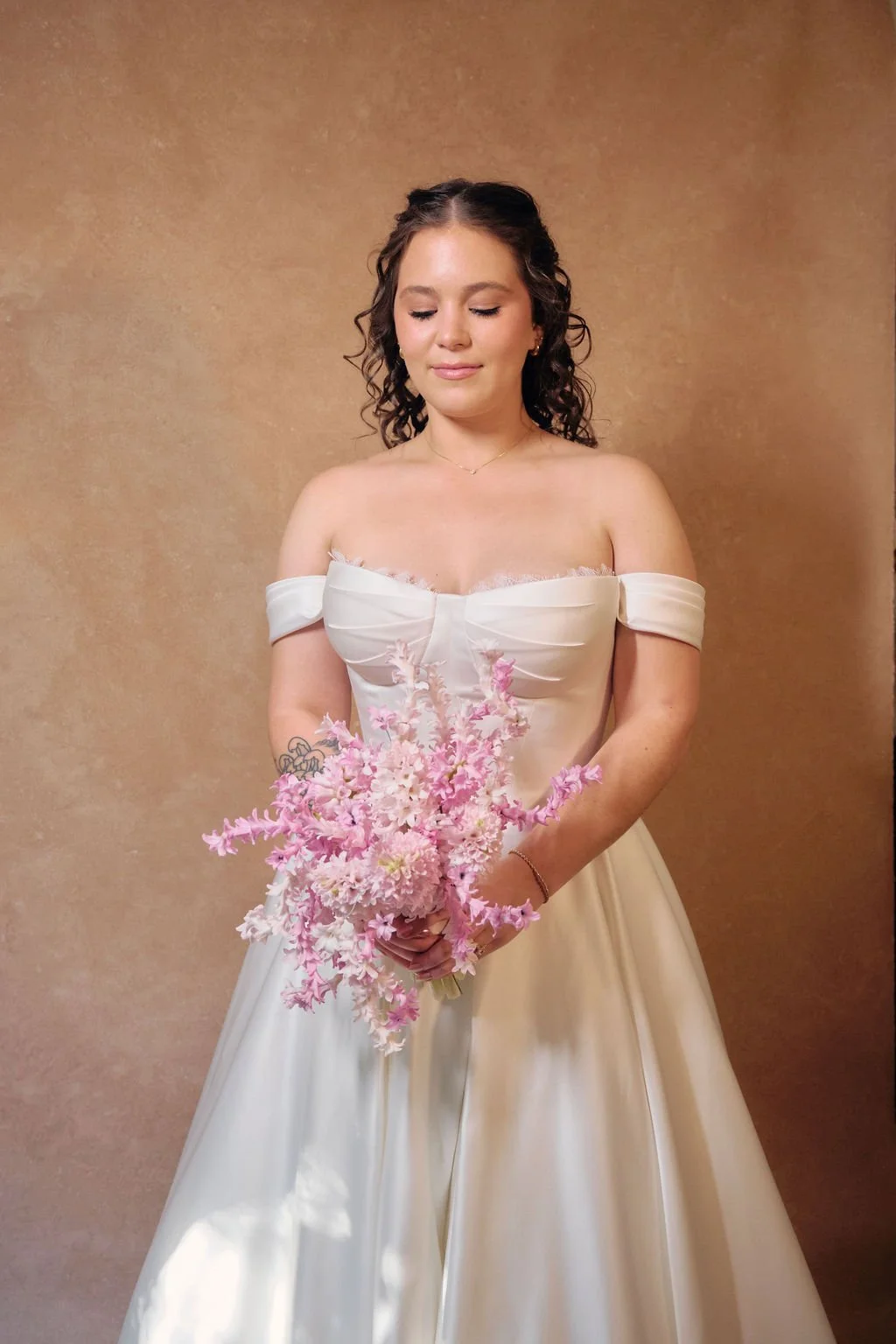
This warmth wasn't an accident. A Clay canvas backdrop, a low-angle CTO-gelled light, and a manual white balance set to 3,200K. The physics of golden hour, engineered indoors.
Quick Answer
Golden hour light measures between 2,500 and 3,500 Kelvin, with the deepest warmth at the 3,000K mark. To recreate it indoors, use a studio flash or continuous light (minimum 400 watt-seconds) with a full or half CTO warming gel, positioned low and to the side at a 15 to 30 degree angle above the floor. Pair the light with a hand-painted canvas backdrop in a warm colorway (Clay, Umber, Sandstone, or Bronzite work well) and preserve the warmth in camera by setting a manual white balance at or above 3,000 Kelvin (raising it toward 5,000 to 6,500K amplifies the golden cast further). The canvas material itself is critical: hand-painted cotton canvas absorbs directional warm light and reveals its surface texture in a way that vinyl and muslin cannot replicate.
What Makes Golden Hour Light Different from Every Other Hour
Golden hour is not a marketing term. It is a measurable physics phenomenon rooted in color temperature. As the sun approaches the horizon, it travels through more of the Earth's atmosphere. The shorter blue wavelengths scatter. The longer red and amber wavelengths pass through, and the light that reaches the ground shifts toward the warm end of the spectrum: approximately 2,500 to 3,500 Kelvin.
For comparison, midday sunlight at noon measures around 5,500 Kelvin. Cloudy daylight measures 6,500 Kelvin. A typical incandescent bulb measures 2,700 Kelvin. Golden hour sits in the warmest zone where there is still useful directional light, and it is that specific combination of warmth and directionality that creates the quality that photographers pursue.
The warmth itself produces a visual cascade: skin appears radiant rather than neutral, shadows become luminous amber rather than blue-gray, and any surface with texture reveals that texture through warm raking light. A hand-painted canvas backdrop in a warm colorway becomes painterly under golden hour light. The brushstrokes cast micro-shadows. The layered pigment shifts from cool undertone to warm surface. The backdrop stops being a background and becomes a presence in the frame.
The directionality is equally important. Golden hour light comes from a low angle, approximately 15 to 30 degrees above the horizon. This is not the overhead light of midday. It is light that travels nearly horizontal to the ground, wrapping around form and creating depth through shadow and highlight. It is this combination of warmth and side-angle directionality that makes golden hour light so visually distinct, and it is this combination that a studio must replicate.
In-studio, this means two separate problems to solve: achieving the correct color temperature (the warmth), and placing the light at the correct angle (the directionality). Most photographers focus only on adding warmth and overlook the geometry. Both are non-negotiable.
The Physics of Light and Surface
Hand-painted canvas absorbs warm light. Vinyl reflects it, creating hot spots and loss of tonal depth. Muslin sits between the two. This is not opinion. It is the physics of material surface. Vinyl's smooth synthetic surface bounces light like a mirror. Canvas's woven, textured surface and the irregular surface created by hand-painted layers cause light to scatter, diffuse, and reveal the full dimensionality of the painted surface. When warm light hits canvas, the canvas behaves like fine art itself: it glows, it reveals its depth, it becomes dimensional.
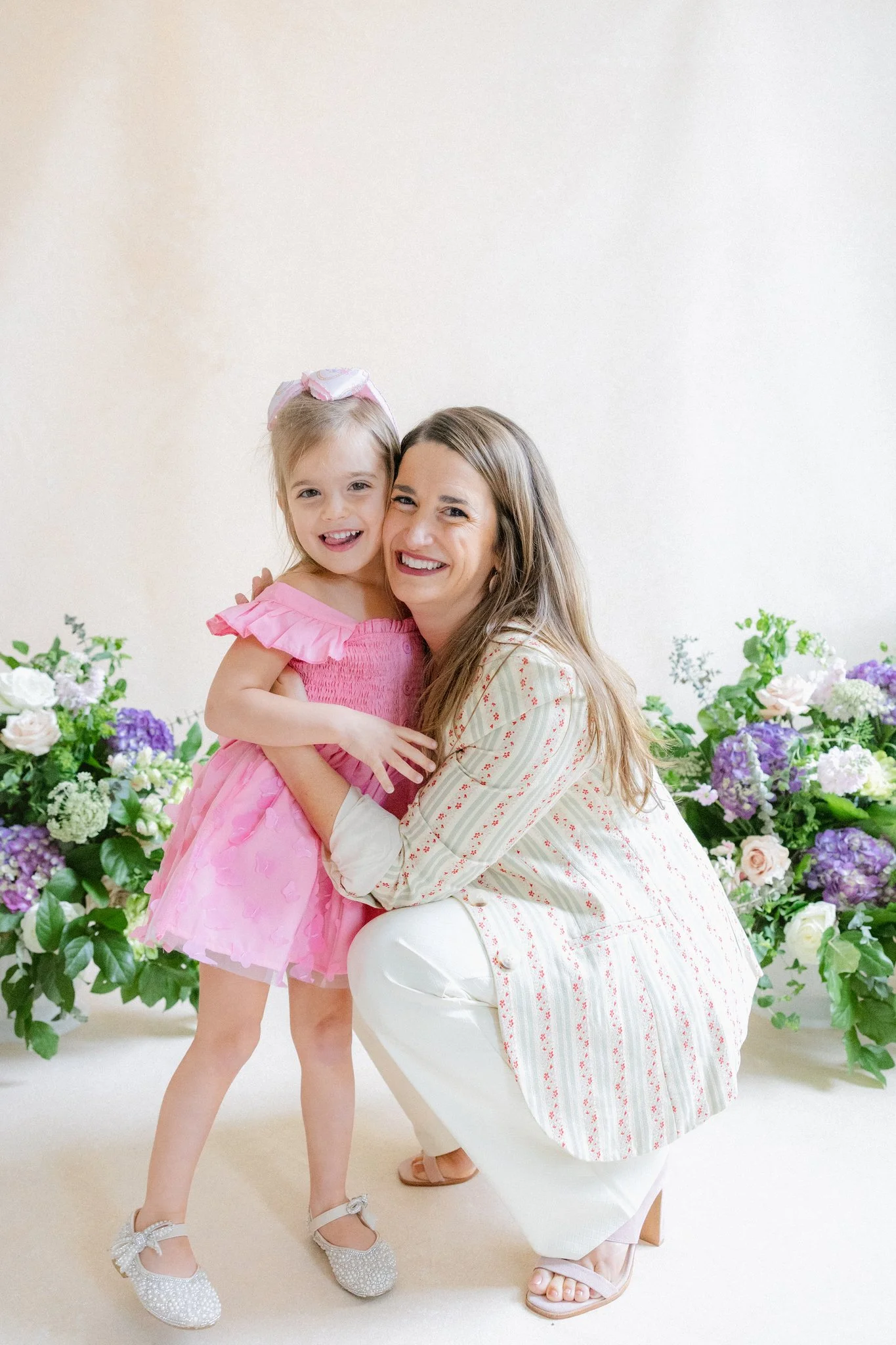
The backdrop doesn't compete. It completes. A warm neutral canvas lets the subjects, the styling, and the moment stay exactly where they belong: front and center.
The Physics of Warm Light on Hand-Painted Canvas
This is where the craft of hand-painted canvas becomes non-negotiable. Understanding how canvas responds to warm light is the difference between a convincing golden hour studio aesthetic and a flat, overly-lit approximation.
Jennifer, the artist who hand-paints every Chasing Stone backdrop, has painted thousands of surfaces over the course of building the brand. She works with pure pigment, applying multiple thin layers over the course of two to three days per canvas. These layers create depth that no single-pass printing method can achieve. When warm light, particularly directional warm light, encounters these layers, something happens that does not occur with mass-produced alternatives.
The light strikes the outermost layer of pigment, but it does not stop there. The canvas weave and the cumulative effect of multiple pigment layers allow the light to penetrate slightly, interact with the layers beneath, and scatter. This scattering is the visual key. Scattered light reveals form and texture. It creates shadow and highlight at the micro scale. Under golden hour light, a hand-painted canvas backdrop becomes dimensional in a way that a printed vinyl surface cannot.
Contrast this with vinyl, which is what most commercial photography backdrops are made from. Vinyl has a smooth synthetic surface. Warm light bounces off that surface at a consistent angle, the way light bounces off a mirror. If the light is positioned at 45 degrees, the reflection comes back at 45 degrees. This creates hot spots. It flattens tonal range. It fights against the very quality that golden hour light is supposed to provide: dimensional warmth.
Muslin, the cotton paper-like material, sits between these two. Muslin diffuses light better than vinyl, but it lacks the depth that comes from canvas weave combined with hand-painted pigment. And because muslin is wrinkle-prone and difficult to keep taut, it introduces visual noise, fold lines and wrinkle shadows, that compete with the portrait subject for visual attention.
Hand-painted canvas is the standard not because it is traditional, but because it is engineered by physics to respond to light the way the art community expects fine surfaces to respond. This is why hand-painted canvas is the default choice for the studios of Jose Villa, for the editorial sets of Siren Floral Co, and for the photographers whose work defines the luxury creative world.
When you are building a studio golden hour aesthetic, the canvas material choice is not cosmetic. It is foundational.
Essential Lighting Equipment for Indoor Golden Hour
There are two lighting paths to golden hour: flash and continuous light. Both work. They have different constraints.
CTO Gel Color Temperature Conversion Reference for Golden Hour Photography
CTO Gel Reference
| Gel Strength | Color Temp. | Light Loss | Golden Hour Application |
|---|---|---|---|
| No gel | 5,500K | 0% | Not suitable for golden hour |
| 1/4 CTO | 4,100–4,500K | ~10% loss | Subtle warmth, overcast-to-golden transition |
| 1/2 CTO | 3,200K | ~25% loss | Mid-golden tone, most versatile for studio work |
| Full CTO | 2,700–2,900K | ~35–40% loss | Deep golden hour, richer warmth |
| Full + 1/2 CTO | 2,500–2,700K | ~55% loss | Deepest golden hour, requires significant power |
Flash provides power and freeze-frame capability. A Profoto B10 or equivalent (400-500 watt-seconds) fitted with a full or half CTO gel will provide the color temperature needed. The downside is that flash is instantaneous. You do not see the light until after the exposure. This means you are setting light placement geometrically rather than visually, and you must understand in advance exactly where the light needs to sit.
Continuous light is preferable for golden hour work because you see the light in real time. A continuous light source like the Profoto B10 Plus in continuous mode (or any powerful continuous source) shows you exactly how the light interacts with the backdrop and the subject before you press the shutter. You can adjust angle, height, and intensity and immediately see the result. For golden hour work, this real-time feedback is invaluable because the warm light needs to interact precisely with the hand-painted canvas surface to achieve the dimensional effect.
CTO gels are essential. A full CTO gel (color temperature orange) shifts the light output from daylight balanced (5,500K) toward 2,700 to 2,900K. A half CTO provides intermediate warmth around 3,200K. These are not approximations. They are engineered color-correction filters that reduce the blue component of the light spectrum, leaving the amber and red wavelengths dominant. They do reduce light output (full CTO results in approximately 35 to 40% light loss), so you will need adequate power reserves to compensate.
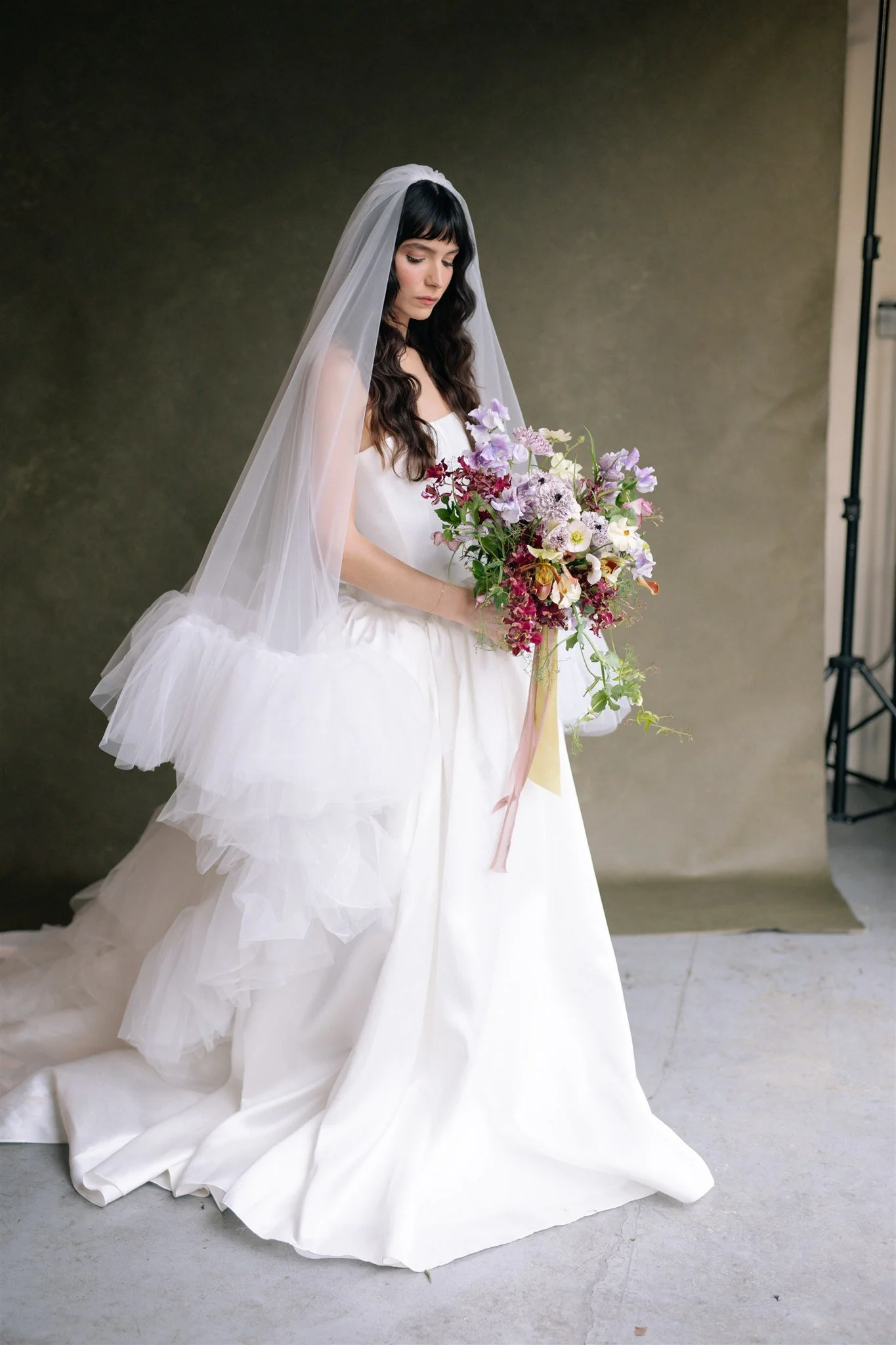
The depth behind this subject is not a location. It is a hand-painted olive canvas responding to directional warm light the way only canvas can. Vinyl would have flattened this entirely. The material is doing more work than most photographers realize.
The alternative is tungsten continuous lighting, which has built-in warm color temperature. Tungsten sources naturally output around 3,200K without needing gels. The tradeoff is that tungsten lighting is hotter to work with, less color-flexible than flash with gels, and less commonly used in professional studios today. Profoto B10 series, for instance, offers adjustable color temperature on the continuous mode, which gives you the flexibility to dial in the exact warmth you want without committing to gels. This is the preferred path for most contemporary studios.
One more essential piece: a light stand and a modifier. Golden hour light is directional side light, not overhead flat light. You need a light stand that allows you to position the source low (15 to 30 degrees above the floor) and to the side of the subject. A boom arm or a C-stand with a horizontal arm gives you this flexibility. The modifier should be a larger softbox or an octabox (36 to 48 inches) to ensure that the directional light is still diffused enough to wrap around form without creating harsh shadows.
The Studio Setup, Step by Step
Building a convincing golden hour aesthetic in the studio requires precision in three dimensions: light placement (horizontal angle, height, and distance), backdrop positioning (distance from subject, angle), and subject positioning (distance from backdrop, distance from light).
Step one: Choose your backdrop and position it. Select a hand-painted canvas in a warm colorway that complements your intended aesthetic. The Chasing Stone colorways that work best for golden hour are Clay (terracotta warmth), Umber (deep brown undertone), Sandstone (warm beige), and Bronzite (warm bronze-gold tones). Position the backdrop approximately 5 to 8 feet behind your subject. The canvas should hang straight, with no folds or wrinkles. The tautness matters because loose canvas will catch light unevenly. If your backdrop is hanging on a C-stand with an adapter mount, ensure the stand is stable and the backdrop hangs straight without sag.
Step two: Position your subject. Place your subject approximately 3 to 4 feet in front of the backdrop. This distance allows the warm light to rake across the backdrop surface without creating shadows from the subject on the backdrop itself. It also allows you to maintain reasonable depth of field (around f/2.8 to f/4) while keeping both subject and backdrop texture sharp or slightly separated.
Step three: Place your main light source. This is the critical step. Position your light source to the side of the subject at approximately 45 degrees (from the side, not straight on). Lower the light to approximately 15 to 30 degrees above the floor level of your subject. If your subject is standing, the light should be positioned so that it grazes the side of the face, the body, and then continues on to rake across the backdrop at a very shallow angle.
This is not the classic key light position (which is typically at 45 degrees and elevated above eye level). This is a side-raking light, and it serves two purposes. First, it illuminates the subject with directional warmth that mimics golden hour side light. Second, it rakes across the hand-painted backdrop at a low angle, revealing the surface texture and the dimensional quality of the brushstrokes. This is where the canvas material choice becomes visually critical. A vinyl backdrop will show hot spots and a flat quality. A hand-painted canvas will show depth, shadow play, and luminosity.
Step four: Expose for the subject, not the light. The warm directional light will naturally illuminate the backdrop as a secondary consequence of the geometry. Do not position a fill light to "even out" the backdrop. The uneven illumination from the raking light is the aesthetic. It creates depth. It creates the painterly quality that makes the golden hour look real.
Step five: If you need any fill light at all (to open shadows on the subject's face), position it very high and slightly behind the subject, as a subtle overhead fill. Or use a white reflector to bounce the main light back into shadow areas. The key principle: the main light does the work. Fill is supplementary.
For larger setups, if you are shooting multiple subjects or need broader light coverage, you might use a second light positioned more overhead to add general ambient fill. But the golden hour aesthetic comes from the first light: the directional side source positioned low and warm.
Choosing the Right Backdrop Colorway for Golden Hour Work
Not every warm colorway works equally well under golden hour light. The hand-painted canvas absorbs and diffuses the warm light, but the underlying pigment color determines how that warmth reads.
Clay is the most versatile choice. It has terracotta warmth built into its character, and under warm golden hour light, it glows. The warmth of the light amplifies the warmth of the pigment without oversaturating. Skin tones read as radiant without becoming orange. The canvas texture becomes visible and dimensional.
Umber is deeper, with a dark brown undertone. Under golden hour light, Umber becomes rich and grounded. It is excellent for male subjects, for creating a more dramatic aesthetic, and for situations where you want the warmth to be present but muted. Umber does not compete with the subject. It creates a sophisticated backdrop frame.
Sandstone is a warm beige, lighter than Clay or Umber. Under golden hour light, Sandstone becomes creamy and soft, almost cloud-like in the way it diffuses warm light. It is ideal for ethereal or editorial aesthetics, for situations where you want the backdrop to feel luminous rather than anchored. Sandstone does not have the tonal depth of Clay, but it has a kind of gentle glow.
Bronzite is the wild card. It has bronze-gold pigment mixed into a warm-toned canvas. Under golden hour light, Bronzite becomes almost iridescent. The bronze undertone plays with the warm light in unexpected ways. It is a bold choice, best for situations where the backdrop itself is meant to be a visual element of the frame, not just a supporting surface.
We recommend starting with Clay if you are new to recreating golden hour indoors. Its warmth is inherent but not dominating. The canvas texture reads clearly under golden hour light. It works across a broad range of skin tones and session aesthetics. Once you are comfortable with the lighting setup, experiment with Umber for drama or Sandstone for softness.
The choice also depends on the specific white balance you set in camera. We will discuss this in the next section, but the short version: your white balance choice affects how the canvas colorway reads. There is a feedback loop between your light color temperature, your backdrop colorway, and your in-camera white balance that collectively determine the final aesthetic.
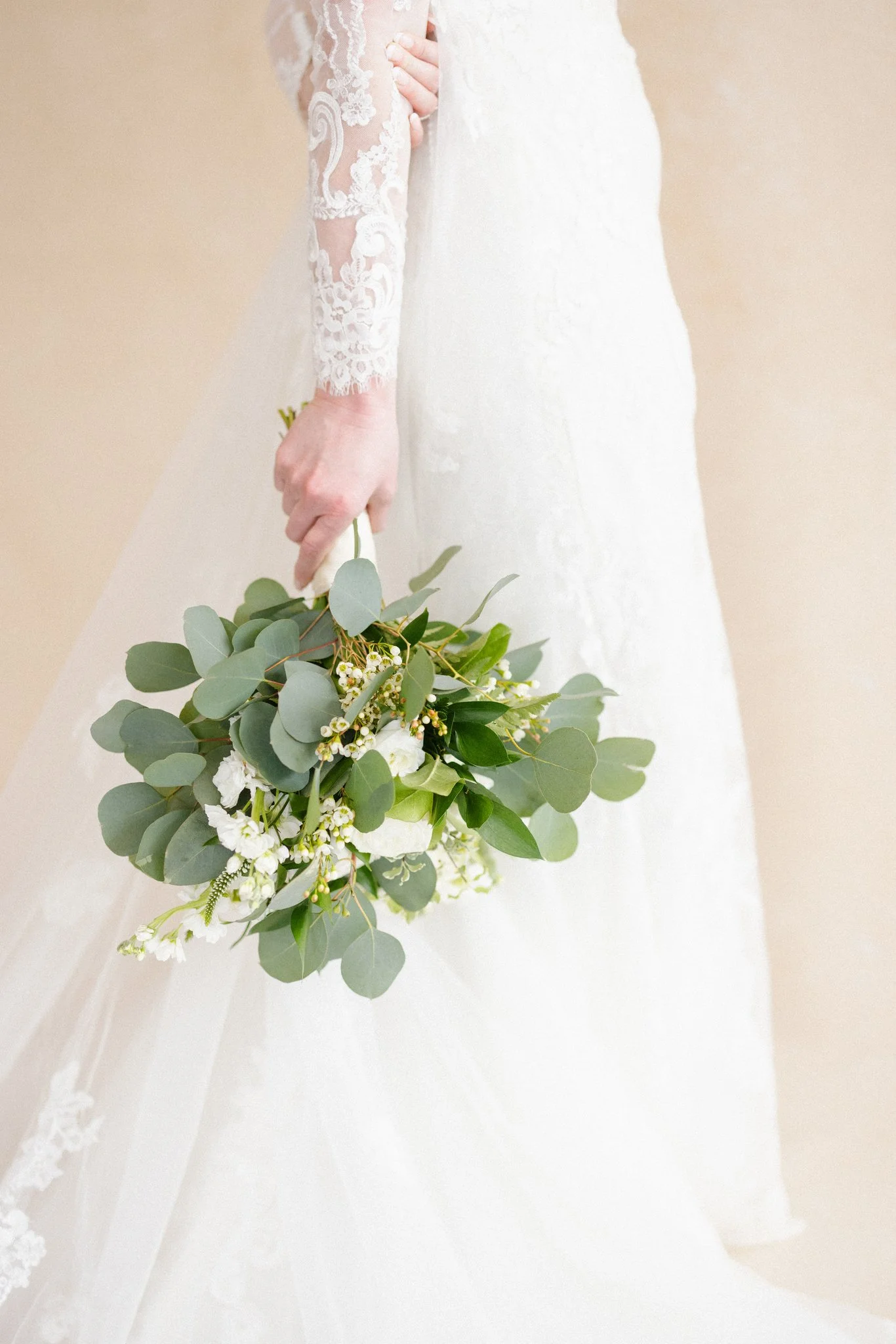
The backdrop in a detail shot is not background noise. It is the surface that either elevates the subject or competes with it. A warm neutral hand-painted canvas knows how to stay out of the way while still adding depth.
Why Canvas Texture Matters Under Golden Hour Light
Golden hour light is raking light. It travels at a shallow angle across the surface, and any texture casts its own shadows. On a smooth vinyl backdrop, there is nothing to cast shadows. The light bounces evenly. On hand-painted canvas, every brushstroke creates a micro-relief. The pigment is not flat. It has dimensionality. Under raking golden hour light, these micro-shadows reveal the full topography of the painted surface. This is the visual difference between a flat photograph and a dimensional one. It is why Jose Villa's work reads so differently from the work of photographers using mass-produced backdrops.
Camera Settings for Golden Hour Portrait Sessions
Studio golden hour is not identical to natural golden hour. You control the light, which means you can optimize the camera settings in ways that would be impossible outdoors.
White balance is the first lever. Golden hour light at 2,500 to 3,500K is warm, but your in-camera white balance choice determines whether that warmth is preserved or neutralized. Auto white balance is dangerous. The camera will try to normalize the color temperature, which will strip the warmth you intentionally created.
Use manual white balance. Kelvin-based white balance allows you to set the exact color temperature your camera is interpreting. For true golden hour light (simulated with full CTO at 2,700-2,900K), set your white balance to approximately 3,000 to 3,200K. This preserves the warmth in the RAW file while also letting you see the warmth in the back-of-camera preview.
If you want to amplify the warmth further (to make the golden hour aesthetic even more pronounced), raise your white balance to 5,000 or even 6,500K. The camera interprets this as a cooler ambient environment and compensates by adding warmth to the entire exposure, which intensifies the golden cast across both subject and canvas. If you want the warmth more subtle, lower the white balance closer to the actual light output (2,700 to 3,000K), and the camera will render the scene more neutrally, still warm, but not obviously golden hour.
The principle: your white balance choice is an artistic decision. It is not about achieving "correct" color. It is about choosing how warm you want the image to read. For golden hour work, err toward preserving the warmth rather than fighting it.
Aperture and shutter speed should be driven by your subject and your depth of field intentions. Golden hour light, whether natural or simulated, works well at apertures where you can hold motion-free shutter speeds and still maintain decent subject-to-background separation. We recommend f/2.8 to f/4 for portrait work. This keeps the subject slightly sharper than the backdrop (adding to the dimensional quality), while still showing enough backdrop texture that the canvas choice is visible.
ISO should be set so that you can achieve these apertures with a shutter speed of at least 1/125th of a second (if using flash) or faster if you are using continuous light. With a powerful continuous light source (400+ watt-seconds equivalent in continuous mode), you should not need to push ISO. Keep it at 100 or 200 and let the light do the work.
If you are using flash with golden hour light, remember that the CTO gel has reduced your light output by 35 to 40%. You will need either a more powerful flash (600+ watt-seconds) or you will need to increase ISO slightly (to 400 or 640) to maintain these aperture and shutter speed targets. This is a worthwhile tradeoff for the freeze-frame capability flash provides.
Color Grading Golden Hour Studio Portraits in Post-Production
In Lightroom or Capture One, golden hour portraits benefit from subtle adjustments that enhance the warmth and the canvas texture without over-processing. This post-production work is covered in depth in our professional color grading guide.
First, consider the white balance in post. If you shot with a manual Kelvin white balance and preserved warmth in-camera, you are starting from a warm baseline. Resist the urge to add more warmth in post-production unless you specifically want an extreme effect. The warmth should already be present.
If you shot in auto white balance (or if you want to correct toward more neutral and then re-add warmth intentionally), set the white balance slider in Lightroom to approximately 3,000 to 3,500K. This will shift the entire image into the warm zone. You can then adjust based on preference.
Exposure should favor preserving detail in the highlights, not crushing shadows. Golden hour light is warm, but it still has directionality and shadow. Do not flatten the image by lifting the shadows too much. Those shadows are part of the aesthetic. Set exposure to place the subject's skin tone in a good zone (generally around 40 to 50% on the histogram), and let the shadows stay as shadows.
Contrast is your friend in golden hour work. A subtle increase in contrast (around +5 to +10) will enhance the dimensionality of the canvas texture. The brushstrokes and the layered pigment will read more clearly. Do not push contrast to extremes. This is a subtle enhancement.
Texture and clarity adjustments should be minimal. The canvas already has beautiful texture from the hand-painted surface. Pushing clarity or texture too far will emphasize that texture in ways that might overwhelm the subject. If anything, a very slight increase in texture (+3 to +8) can help that canvas character read on screen, but be conservative.
Shadows and highlights: a subtle lift to the shadows (around +5 to +8) can open up detail on the shadow side of the face without destroying the golden hour aesthetic. Highlights should be protected. Drop the highlights slider slightly (around -5 to -10) to prevent the warmest tones from blowing out.
Saturation: this is where you can optionally amplify the warmth. A subtle increase to the orange and yellow saturations (+5 to +15 on the Hue/Saturation sliders in those specific color ranges) will make the warmth more vivid without shifting the overall color of skin tones. Be careful not to push too far, which will make the subject look overly orange.
Finally, consider the overall color grading direction. Golden hour portraits benefit from a slight warm color cast over the entire image (a curve adjustment that lifts the shadows and midtones toward yellow and orange, while protecting the highlights). This is not color grading toward neutral. It is color grading toward warm. This is the entire point.
Common Mistakes When Simulating Golden Hour Indoors
Even when you understand the theory, execution problems emerge. Here are the mistakes we see most often.
Mistake one: positioning the light too high. Golden hour light comes from a low angle. Photographers accustomed to traditional key light positions often position the light at 45 degrees elevation and above, creating that classic key-light shadow under the nose. This is not golden hour. Golden hour light comes from the horizon. Position your light at 15 to 30 degrees above the floor. Yes, this will create unusual shadows. That is correct. Golden hour shadows are unusual compared to traditional studio light.
Mistake two: using auto white balance. The camera does not know you intentionally created golden hour light. It will try to normalize it. Use manual Kelvin-based white balance every time.
Mistake three: using vinyl backdrops and expecting the same result as canvas. Vinyl simply does not diffuse warm light the way canvas does. The light bounces. The backdrop looks flat. You cannot compensate for this in post-production. The material matters.
Mistake four: adding too much fill light. When you first position that raking low-angle golden hour light, the shadow side of the face will be dark. The temptation is to add a fill light to "brighten" that shadow. Resist this. That shadow is the aesthetic. If the shadow is too dark for your preference, move the main light slightly more toward the front (slightly less side-angle), or increase the main light power. Do not add fill. Fill flattens the golden hour aesthetic.
Mistake five: over-gelling the light. A full CTO is powerful. It is easy to over-gel and end up with light that reads as "orange" rather than "golden." If this is happening, try a half CTO instead (3,200K output) rather than a full CTO (2,700K). Test both. Understand the difference in your specific studio environment.
Mistake six: shooting when the backdrop is in shadow. The backdrop texture only reads when the light is raking across it. If you position the light primarily on the subject and the backdrop is mostly dark, you lose the entire dimensional quality. The canvas texture reads under light. Your raking side light should illuminate both the subject and the backdrop (though perhaps at different intensities).
Frequently Asked Questions
Can I recreate golden hour light with only ambient studio lighting and color correction in post?
No. Post-production color correction can shift the hue toward warm, but it cannot create the dimensionality that comes from directional raking light interacting with a physical canvas surface. The physics of light and surface are non-negotiable. If your studio light is flat and overhead, no amount of Lightroom adjustment will create the texture reveal that golden hour light produces. The light placement and the canvas material do the heavy lifting. Color grading is supplementary.
Do I need continuous light, or will flash work?
Both work. Continuous light gives you real-time feedback, which is valuable for positioning. Flash gives you the ability to shoot faster and freeze motion. Choose based on your workflow. If you are shooting tethered or reviewing in real time before each frame, continuous is easier. If you are shooting fast paced (wedding ceremony, for example), flash is practical. Both, when paired with the right CTO gel and positioned correctly, will produce golden hour light.
What is the minimum light power I need?
At minimum, 400 watt-seconds equivalent in continuous mode, or 400+ watt-seconds for flash. Less power and you will struggle to achieve the apertures and shutter speeds needed for portrait work while maintaining the warm aesthetic. Profoto B10 Plus in continuous mode (500Ws equivalent) is a good minimum. Higher power (600+ Ws) is better, especially if you are using full CTO gels.
Can I use a warm tungsten continuous light instead of a flash with CTO?
Yes. Tungsten sources naturally output around 3,200K without needing gels. The tradeoff is that tungsten lights are hot to work with, they draw more power, and they are less flexible if you want to dial the color temperature up or down. Modern flash and LED continuous sources with adjustable Kelvin (like Profoto B10) are more practical for most contemporary studios.
Does the backdrop color matter if I am color grading in Lightroom anyway?
Yes, absolutely. The backdrop color, the light quality, and the color grading work together. A vinyl backdrop will not have the same texture reveal as canvas, no matter how you grade it. A cool-tone backdrop (like Slate or Silt) will fight against the golden hour aesthetic in a way that a warm-tone backdrop (like Clay or Umber) will not. Color grading is the final refinement, not the foundation.
Can I simulate golden hour with a single continuous light source, or do I need multiple lights?
A single main light is sufficient. Position it as the directional golden hour source at a low 45-degree angle. If you need fill light, use a reflector rather than a second powered light source. The single directional source is what creates the golden hour aesthetic. Everything else is supplementary.
How does golden hour lighting change if I am shooting with a film camera versus digital?
The physics are identical. Warm light is warm light, regardless of the sensor or film capturing it. The key difference is white balance management. With digital, you have precise control over white balance in-camera and in post-production. With film, you are choosing a film stock with a specific color balance and you are locked into that choice. For golden hour with film, choose a tungsten-balanced film stock (like Kodak Portra 400 with an 85C filter) to preserve warmth. The light placement and canvas material principles remain the same.
Golden Hour Light Awaits in Your Studio
Golden hour light is not the property of any particular time of day. It is a physics phenomenon defined by color temperature and directionality, both of which you can engineer in the studio. The secret is understanding how these elements interact with the material you are working with, and hand-painted canvas is the material that rewards warm directional light most generously.
The difference between a studio portrait shot under golden hour light and the same session shot under flat midday-equivalent studio light is not subtle. It is categorical. The warmth changes how the viewer feels the image. The canvas texture becomes dimensional. The subject appears luminous rather than lit. This is why the world's most accomplished photographers make golden hour light, rather than waiting for it.
If you are ready to invest in the equipment and the canvas backdrops that make this aesthetic possible, explore the hand-painted backdrops collection at Chasing Stone. Start with a warm-tone colorway like Clay or Umber. Pair it with your continuous light source and CTO gels. Spend time experimenting with light placement. The returns are immediate and visible in every frame.
For more guidance on lighting hand-painted canvas backdrops, see our complete guide on how to light hand-painted canvas backdrops. For camera settings optimized for backdrop texture, read our aperture and ISO guide. And once you have built the golden hour aesthetic in the studio, our Lightroom color grading guide will show you how to enhance the warmth and the canvas texture in post-production.
If you have questions about backdrop materials, colorways, or how to choose the right canvas for your specific work, contact us at info@chasingstone.com. Every backdrop is custom-made by Jennifer, our artist, and she brings two to three days of hand-painting to every piece. We can guide you toward the exact colorway and size that fits your studio aesthetic.
Creators of premium photography backdrops and styling surfaces
Trusted by thousands of discerning creatives worldwide
Every piece is handcrafted with intention in Orange County, California